Top AI Sound Effect Generator Apps in 2026 [Reviewed]
Top AI Sound Effect Generator Apps in 2026 [Reviewed]
Faceless videos are growing fast on platforms like YouTube and TikTok in 2026. These videos depend on strong sound effects to keep viewers interested longer. Without good audio, content may feel boring and lose audience attention quickly. However, finding the right sounds can take time and feel confusing for beginners.
That is why creators now use an AI sound effect generator for help. These tools turn simple ideas into sounds without hard editing and save time. Thus, this article reviews popular apps and explains features that define a reliable tool.
Part 1. AI Sound Effects Features: What Makes a Good App
Digital platforms now integrate AI sound effects for simple audio creation needs. Below are important features that define strong performance in sound applications:
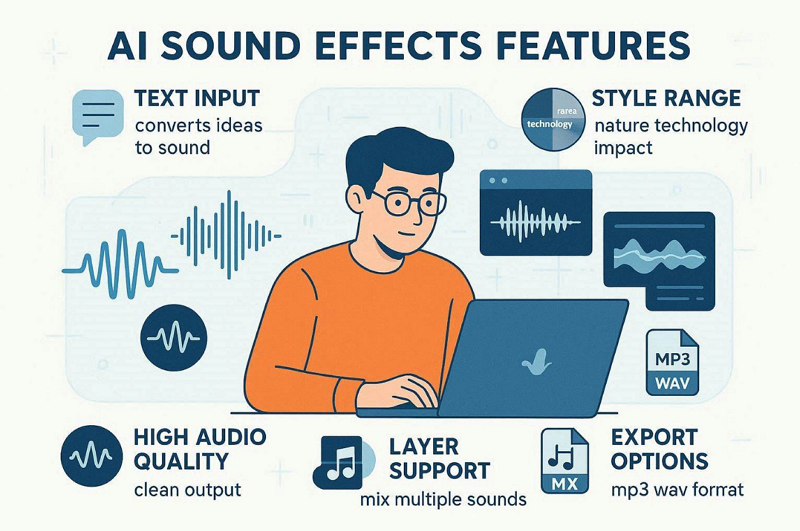
Text Input: It allows users to describe sounds using simple everyday language prompts. The system converts written ideas into matching audio results within seconds.
Style Range: Prebuilt style range provides multiple categories like nature, technology, and short impact sounds. So, users can select suitable styles without switching between different audio applications.
Audio Quality: High audio quality ensures sounds remain clear without unwanted noise or distortion. A clean output makes sounds usable for videos, games, and professional projects.
Layer Support: Layer support enables combining multiple sounds into one complete audio effect. Therefore, this helps create richer and more realistic sound experiences for projects.
Export Options: Multiple export options provide common file formats like MP3 and WAV for usage. These formats allow direct integration into video editors and creative platforms.
Part 2. Top AI Sound Effect Generator Apps for Beginners
Modern creators prefer AI sound effect generator apps for beginner-friendly sound making. This part provides 5 tools or apps that help create sounds without difficulty:
1. Filmora App (iOS/Android)
Rating: 4.7/5
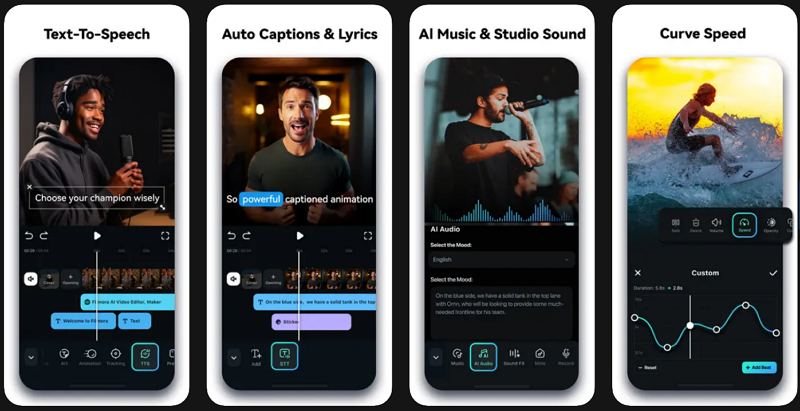
The Filmora app generates AI sound through a text prompt with up to 100 characters. While using the video editor app, users can refine generated sounds until the final desired output is achieved. Moreover, the AI system automatically syncs sound effects with video beats and timing. During the process, background noise is automatically reduced for clearer audio output.
Along with this, it has pre-made templates that help users create sounds faster without manual setup. Before adding a sound in a video, creators can preview it for clarity. The generated AI sound automatically aligns with the video timeline for better editing accuracy.
Pros
Automatic syncing reduces manual alignment work for audio tracks.
Audio stretching fits music perfectly to the video duration automatically without distortion.
Generated audio can be exported in multiple audio formats, such as WAV and M4A.
Con
Some AI-generated sounds may require additional manual refinement steps.
2. Adobe Firefly (Android/iOS)
Rating: 4.6/5
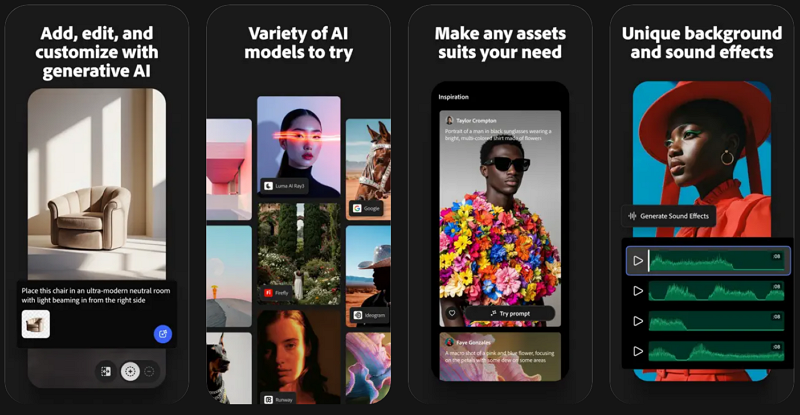
Digital creators can also try this AI sound effect generator from text app, as it creates several sound variations from one single text prompt. The app converts voice timing into a matching sound effect rhythm automatically. Along with this, Adobe Firefly provides multiple background music options for each generation request.
Pros
Mood-based generation improves emotional match with video content.
AI suggests sound options based on project type and content.
Cons
Some AI outputs may need manual refinement for accuracy improvement.
Limited precision for highly complex or niche sound design needs.
3. LoudMe
Rating: 4.3/5
This AI sound effect generator also creates AI-sounding effects that match natural environments and real-world scenarios. While generating the audio, users can set a duration of up to 22 seconds before generating the final audio output. The tool also has a prebuilt library that provides ready-to-use sound effects and music assets.
Pros
Multiple prompt modes improve control over the accuracy of generated sound results.
Allows previewing the generated sounds immediately after creation without delay.
Cons
English-only prompt support reduces flexibility for multilingual sound creation users.
Limited precision for highly niche or specialized sound requirements.
4. Stable Audio
Rating: 4.3/5
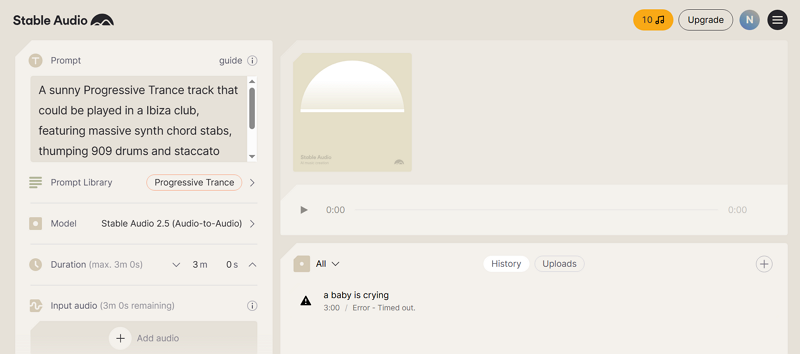
The platform offers models like “Stable Audio AudioSparx2.0” and “Stable Audio 2.5” to create natural AI sounds. Users can also upload audio samples to be transformed into new sounds using text instructions. The generated AI sound effect generator from text can be changed from one form into another using AI processing.
Pros
The system generates high-quality audio tracks up to 3 minutes per output.
Its generated audio output is produced in 44.1 kHz stereo quality for clarity.
Cons
No built-in video timeline for syncing audio with visual content.
Output consistency may vary depending on prompt clarity and detail.
5. VoxBox (Android/iOS)
Rating: 3.3/5
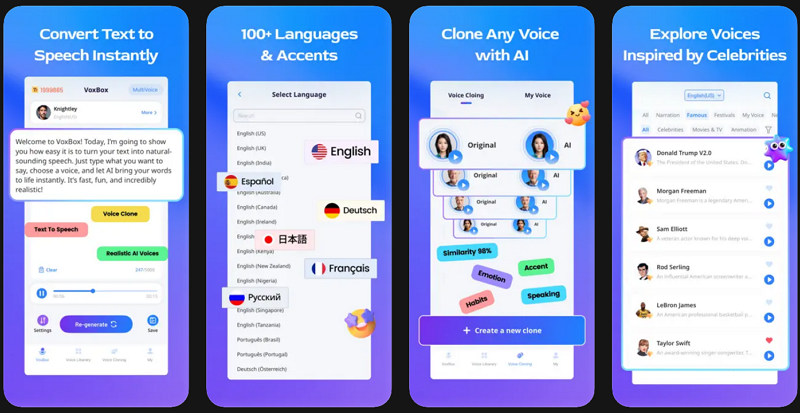
When using the AI sound effect generator, VoxBox converts written text into natural voice-based sound outputs using AI. The tool also supports multiple languages for generating voice-based sound outputs globally. Creators can export audio files in various formats, such as MP3 and WAV, for easy use.
Pros
Emotion and pitch controls improve the quality of generated voice outputs.
Users preview generated voice sounds before exporting final audio files.
Cons
Lacks support for environmental or action-based sound effect creation features.
Some voices may sound less natural or slightly robotic in output.
Part 3. Top AI Sound Effect Generator From Text Tools Compared
All the available tools create AI sound effects with different strengths and limitations. This section provides a table comparing tools across important feature areas:
Feature |
Filmora App |
Adobe Firefly |
LoudMe |
Stable Audio |
VoxBox |
Text-to-Sound |
Fast prompt-based generation |
Multi-variation prompt generation |
Realistic prompt-based output |
Advanced text audio generation |
Text-to-speech generation |
Sound Sync |
Auto sync with video |
Voice rhythm sync support |
No direct video sync |
No built-in sync support |
Script-based timing sync |
Sound Control |
Strong editing controls |
Moderate creative controls |
Basic prompt control options |
High precision control options |
Voice parameter adjustments |
Output Quality |
Clear and refined output |
Good, consistent output quality |
Natural environment output |
High-quality stereo output |
Clear voice output quality |
Format Support |
Multiple export format options |
Standard format export support |
Limited format export support |
Common format export support |
Multiple audio format support |
Why is Filmora App the best for AI Sound Creation
This specific part explains why the Filmora app is considered the best for producing AI sound:
AI SFX Capability: Built-in AI SFX helps create sound effects that match scene actions and video context.
One-click Tools: These tools allow quick audio improvements without advanced manual setup.
Flexible refinement: Users can adjust and refine generated audio until it matches the desired final output quality.
AI Music Creation: AI music tools generate background tracks based on mood and style selection for different projects.
Auto Ducking: The system automatically lowers music volume when the app detects people speaking aloud.
After exploring the reasons why the Filmora app is better for generating AI sound, explore the guide below to generate an AI sound effect:
Step 1. Add a Video in the Filmora App
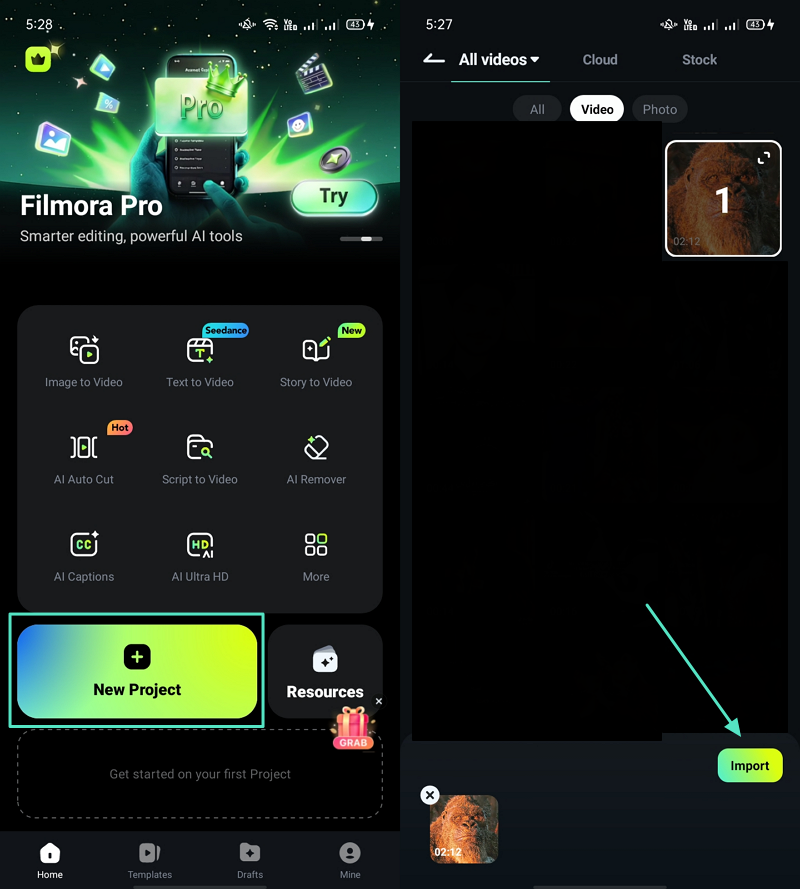
To initiate, opt for the “New Project” option from the main display of the app to create new content. Next, select a video and tap the “Import” button to add a video.
Step 2. Access AI Audio Feature
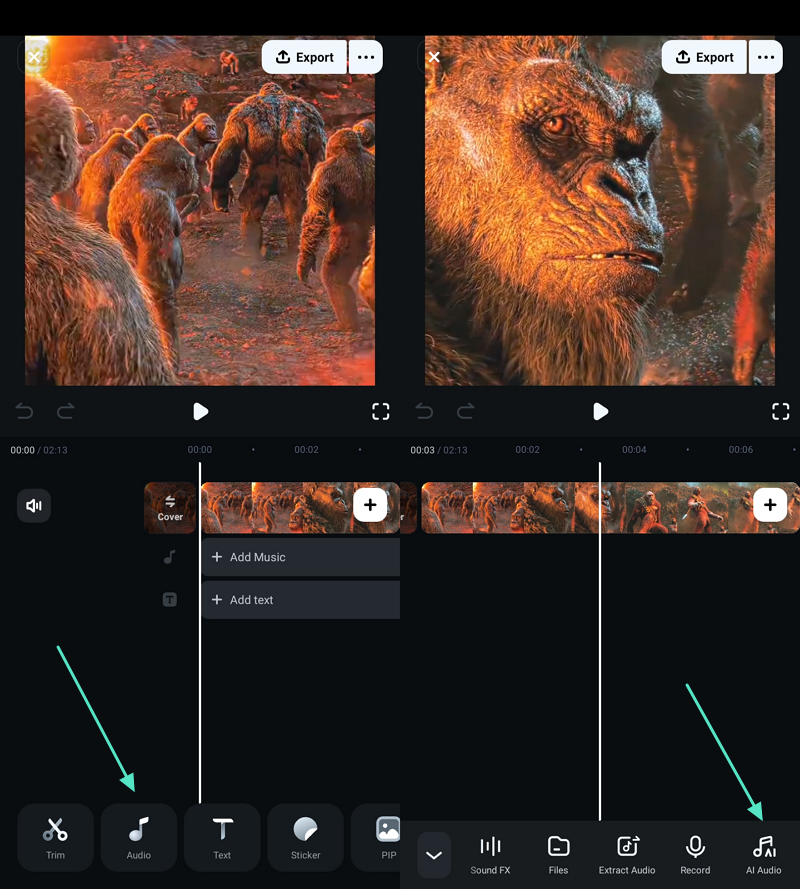
After adding a video, select the “Audio” option and opt for the “AI Audio”.
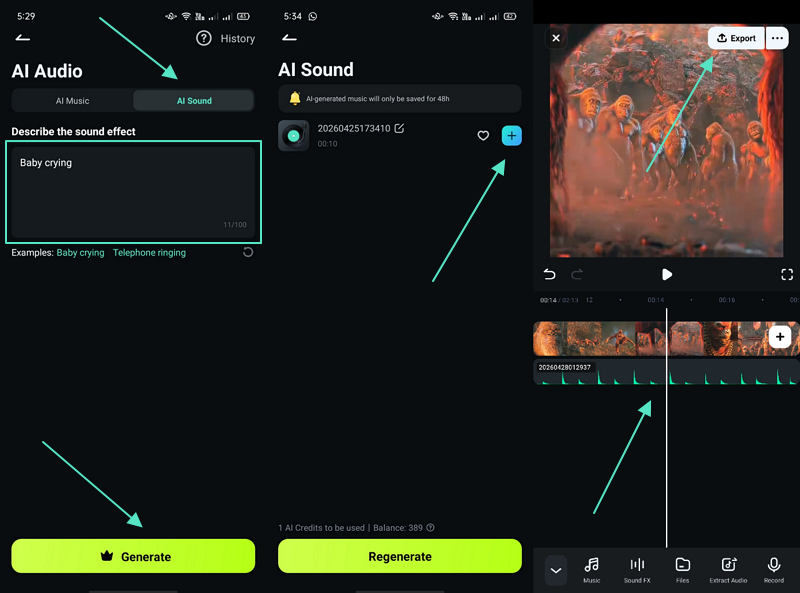
Step 3. Generate AI Sound
Now, go to the “AI Sound” section and describe the AI sound prompt in the given “Text Box”, then tap “Generate.” When the sound is generated, tap the “+” icon to add it to a selected video. At last, the tool automatically syncs the audio with the video preview and selects the “Export” option to save it.
Conclusion
Audio creation is essential for modern video production and digital storytelling. Many creators need faster ways to generate clear and matching sounds for their projects. Therefore, an AI sound effect generator helps simplify this process with quick and flexible audio output. So, modern apps like Filmora provide a practical solution by combining AI sound tools, editing features, and a smooth workflow for efficient content creation.
Note: This article is created for informational and educational purposes only. It does not represent the official views or statements of any publishing platform or brand mentioned.